
Sources
SAS7BDAT, XPT, CSV, Excel, Parquet and ZIP; CDISC ODM 1.3 / 2.0; EDC metadata such as Rave ALS; blank CRF and protocol.
 SDTM Studio
Upload your EDC exports and external data. SDTM Studio plans the domains, drafts the mapping and transformation workflows, generates the datasets and validates them — while your team reviews and approves every step.
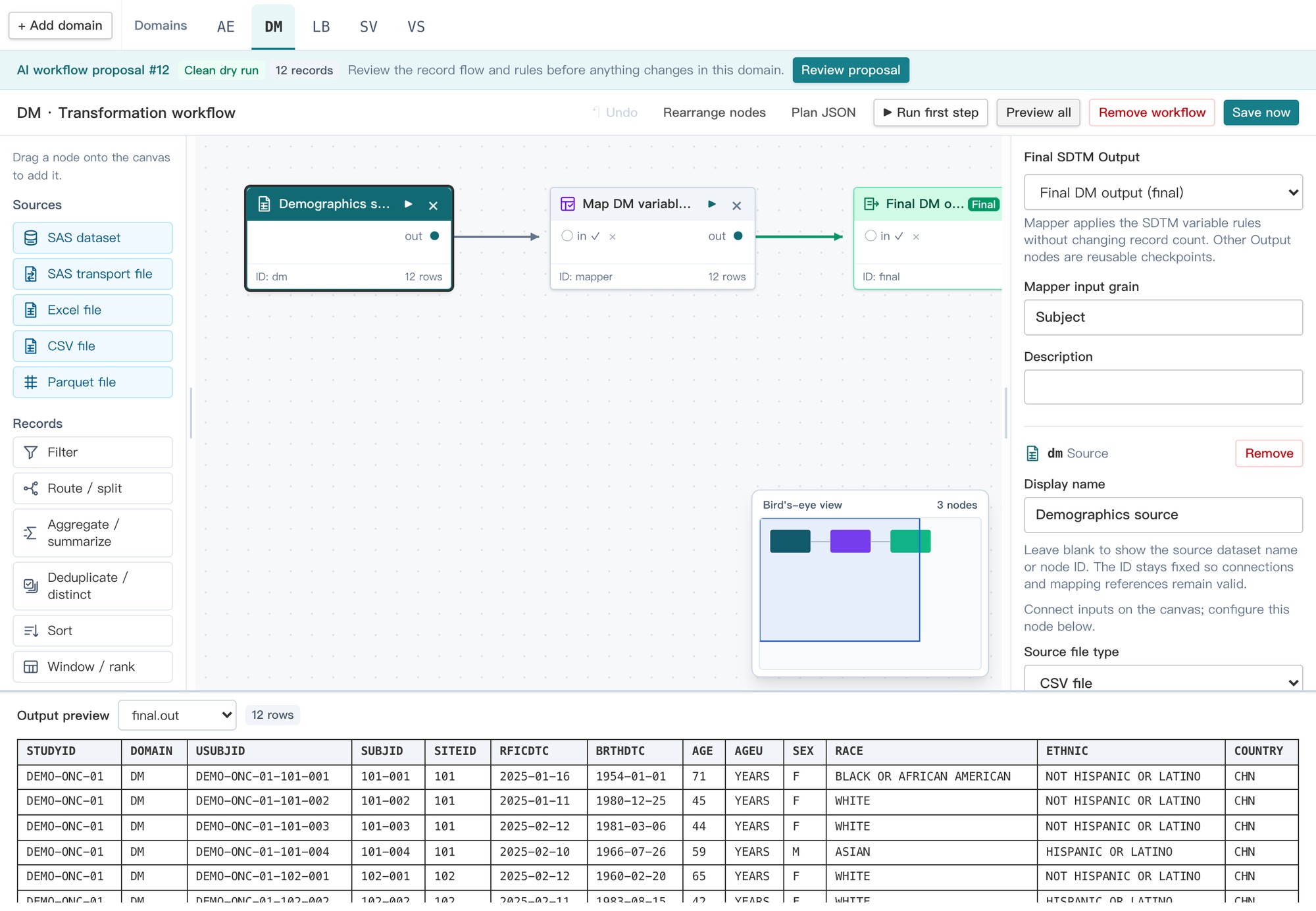
Run each step on its own, or all of them at once with a dry run: one click from uploaded sources to a full set of deliverables, in a sandbox copy of the study.
EDC exports, external vendor data, EDC metadata and the blank CRF.
AI proposes the domain inventory and drafts each domain's workflow and mapping rules.
Mappers and reviewers check each proposal with live previews on the study data.
Produce the SDTM datasets and check them with CDISC CORE conformance rules.
Define-XML, annotated CRF, reviewer's guide, validation report and submission package.
The AI reads the source metadata, the SDTM Implementation Guide and the controlled terminology to propose which domains a study needs and how each one is built. Every proposal is test-run on the study data before review, so reviewers see records and warnings, not just rules.
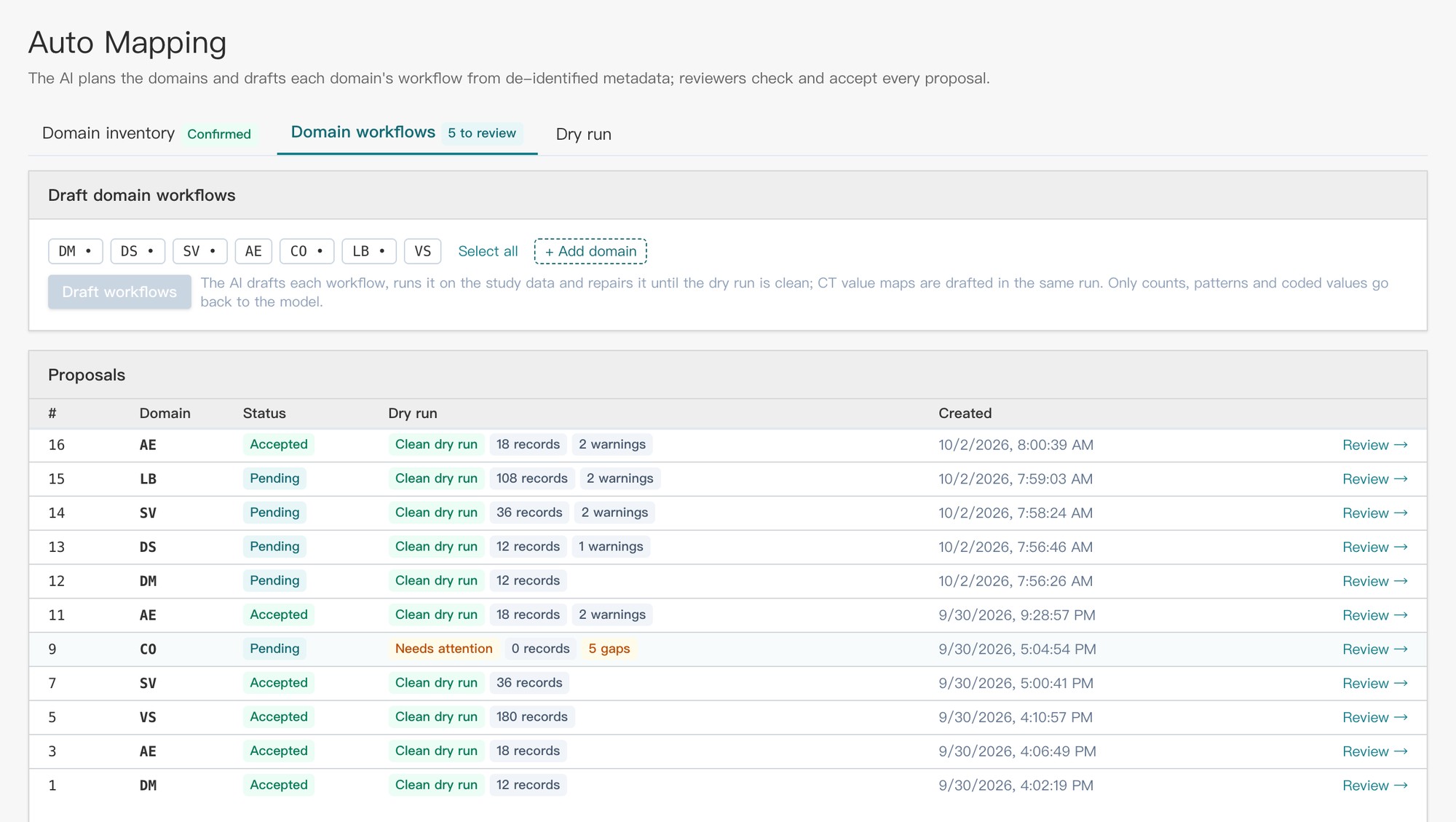
Each domain is a workflow of clear steps — filter, join, transpose, derive — ending in the SDTM variable mapping. Preview the output of any step, and export the program in Python, R or SAS for independent review.
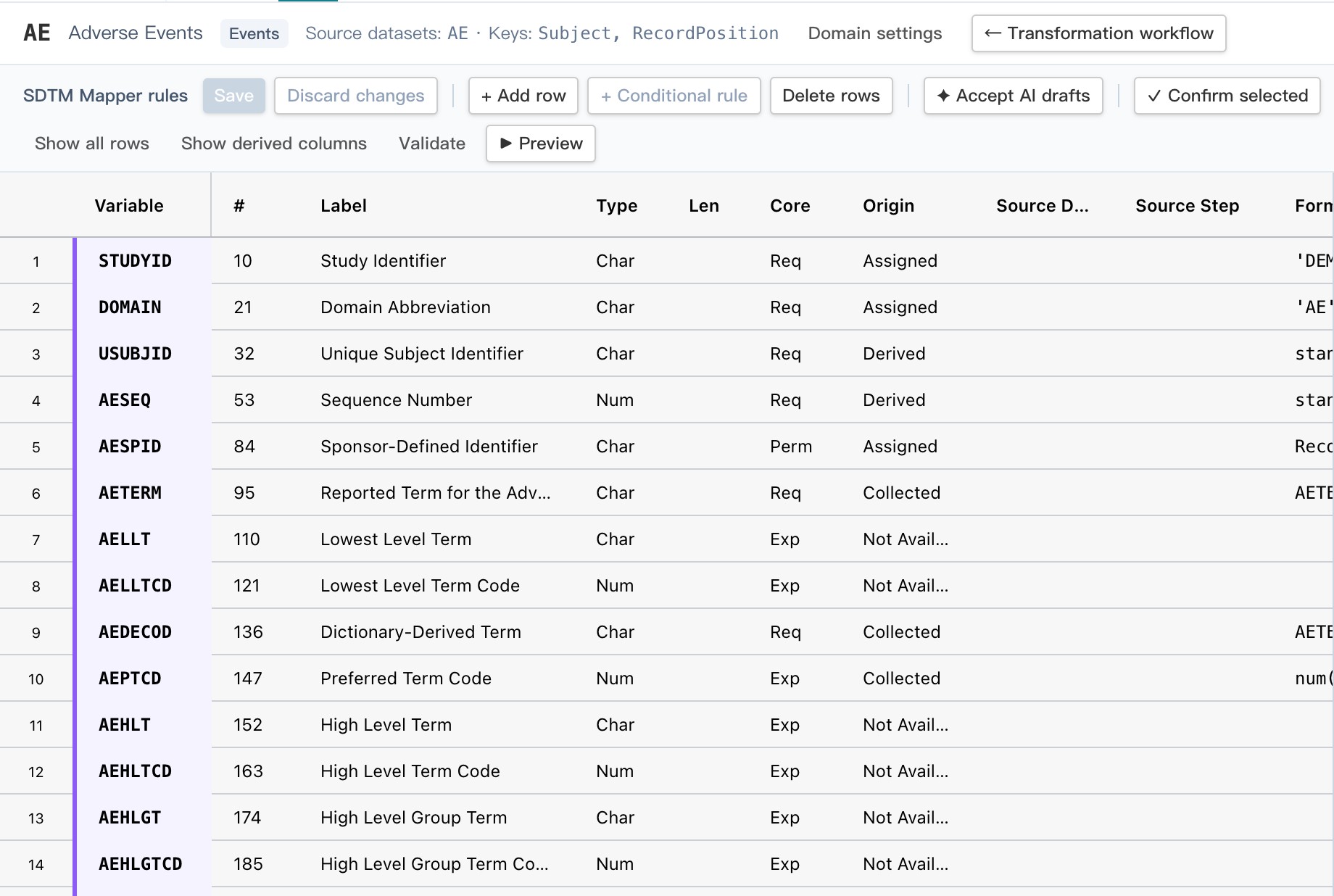
The mapper lists every variable of the domain in SDTMIG order with its label, type, core status and origin. Each rule is a single formula; reviewers accept AI drafts, confirm rows and see open issues as they work, and the specification round-trips to Excel.
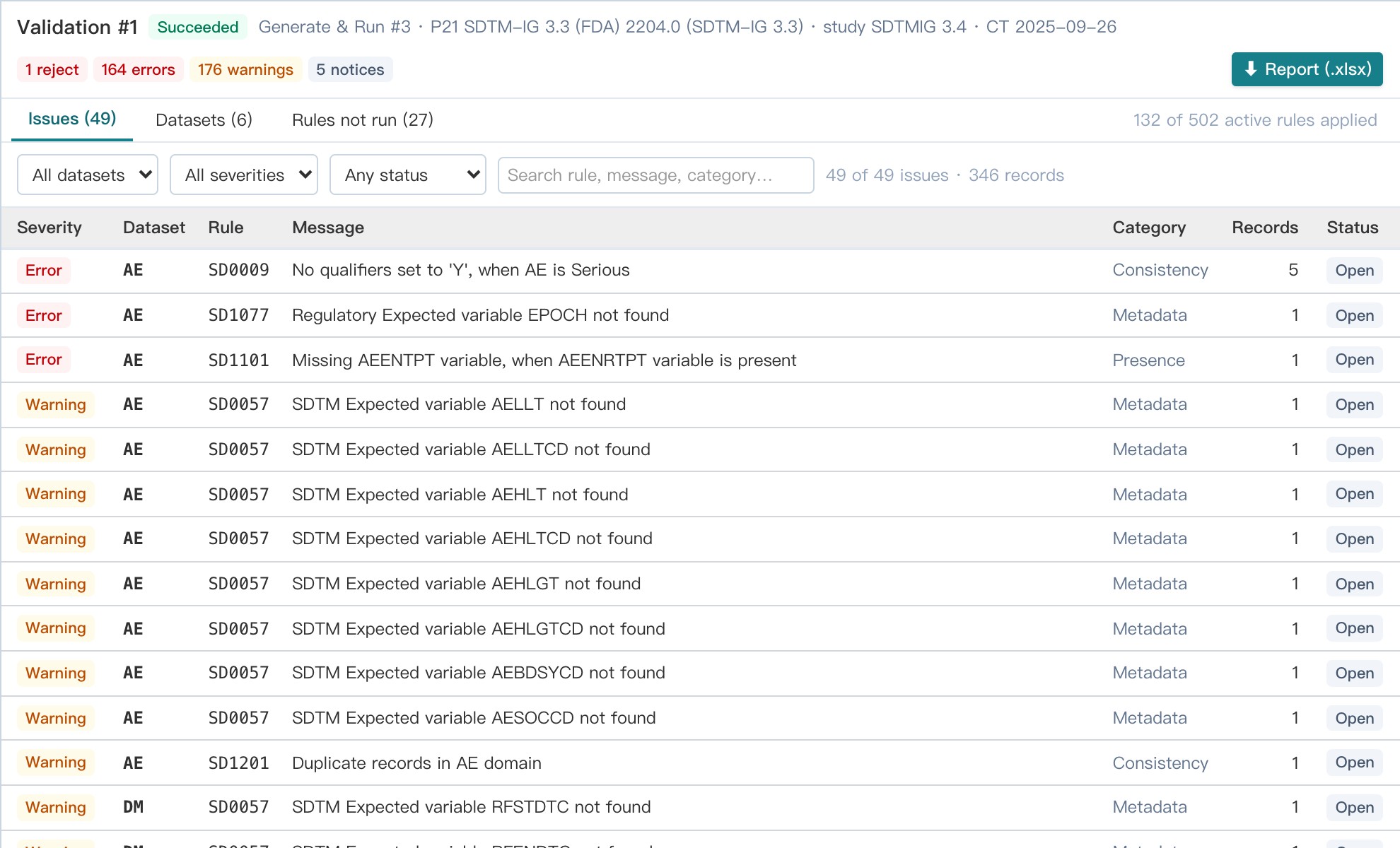
Validate the generated datasets with the CDISC CORE rules engine or Pinnacle 21-style rule sets, record an explanation for each issue and export the validation report.
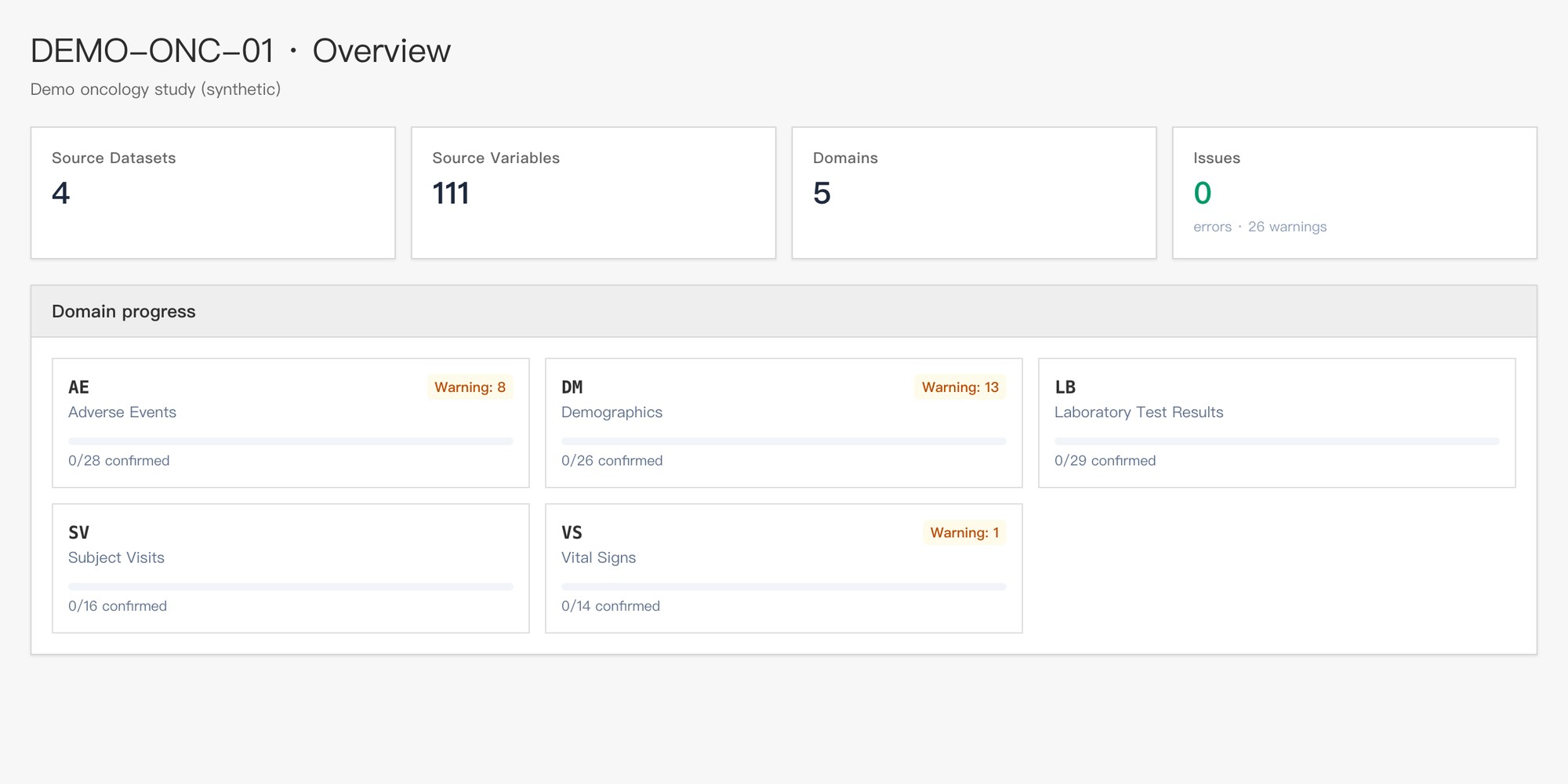
Track review progress, open issues and warnings per domain. Study-level roles separate administrators, mappers, reviewers and viewers.
SAS7BDAT, XPT, CSV, Excel, Parquet and ZIP; CDISC ODM 1.3 / 2.0; EDC metadata such as Rave ALS; blank CRF and protocol.
SDTM and SDTMIG, CDISC Controlled Terminology and the CDISC Library, versioned and locked per study.
SDTM datasets, Define-XML 2.1, annotated CRF, reviewer's guide (cSDRG), mapping specification, validation report and submission package.
One click runs the whole process in a sandbox copy of the study, fixes common issues automatically and reports what still needs a decision.
The approved specification can be exported as Python, R or SAS programs for independent programming review and QC.
Every change to specifications, runs, approvals and AI requests is recorded with who, when and why.
The AI works from metadata, not from patient records. Transformations run on the platform as deterministic, reviewable programs.
Request a demo, or request access and an administrator will approve your account and set up a study workspace.
AI proposals are drafts that qualified people review. Validation of the system for regulated use remains the responsibility of each organization.